
How to Represent an Event in a Business Process
Instruction: How to Represent an Event in a Business Process Using a Drakon Flowchart
When modeling business processes, it is important to correctly represent waiting for external events. This guide explains how to properly depict events in a Drakon flowchart.
1. If the event is required to start the business process
If the process begins only after an event occurs, indicate this in the diagram.
Example: the process "Order Processing" starts after the event "Customer placed an order".
How to represent this:
- Add the "Formal Parameters" icon next to the diagram title.
- In the icon text, describe the event, for example: "Process start condition: the customer placed an order on the website".
- To add "Formal Parameters", right-click the diagram title and select "Add parameters".
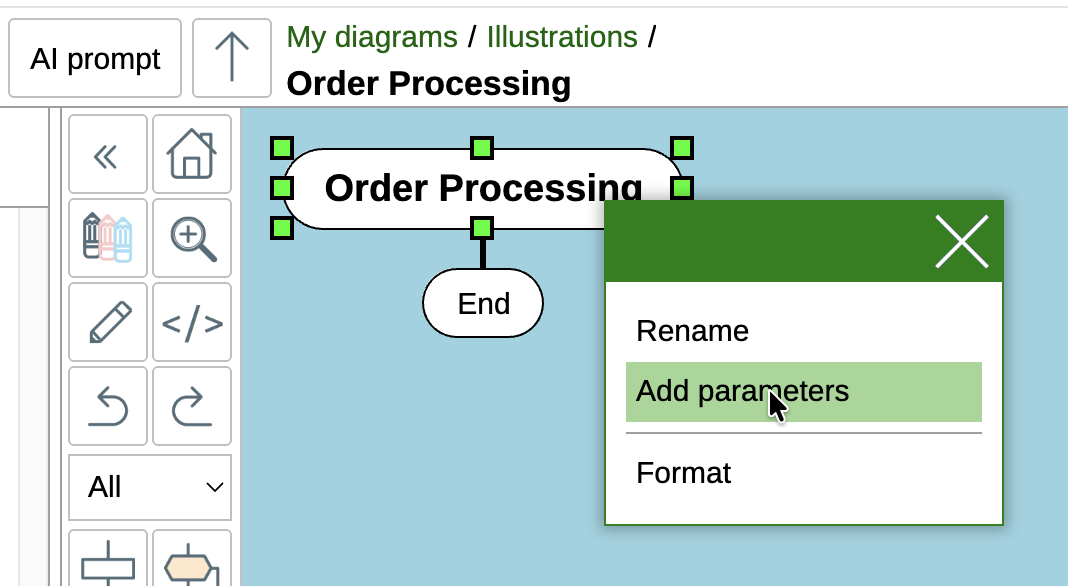
How to add the "Formal Parameters" icon
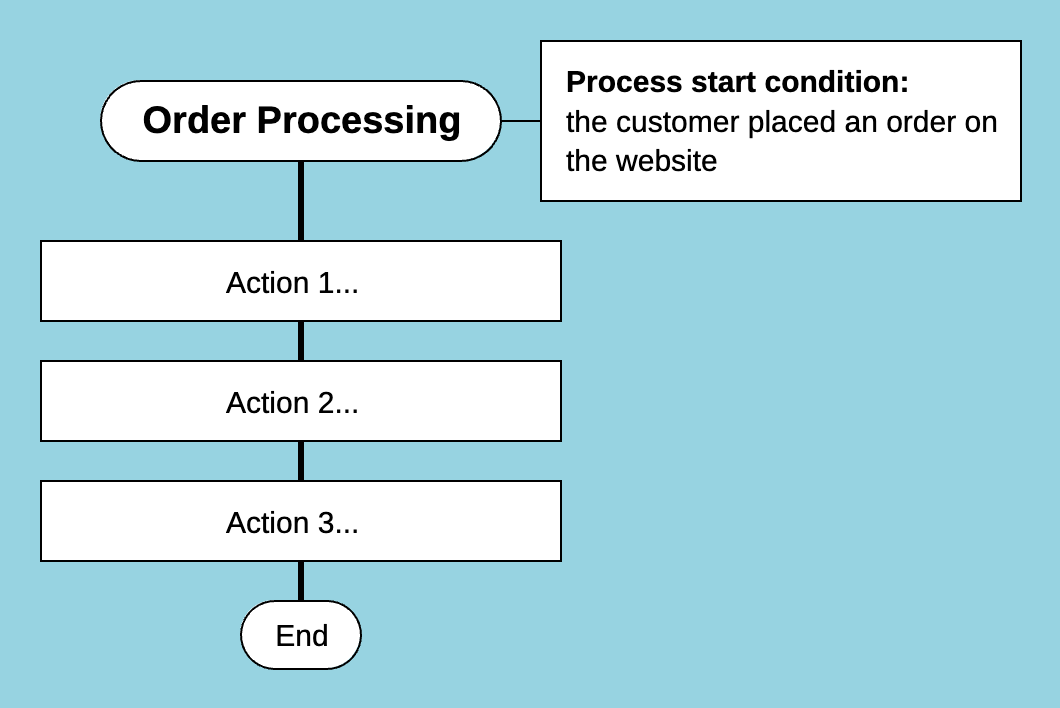
Example of an event that starts a business process
2. If the event is expected during the execution of the business process
If an event may occur during the process, you need to determine whether the process pauses while waiting for it.
2.1. Is the event required for the process to continue?
If the process cannot continue without the event, waiting for the event must be explicitly shown.
If multiple events are possible
- Use the "Choice" (branching) icon with the text event.
- For each possible outcome, add a "Case" icon with its name.
Example: in a sales process, one of the following client responses is expected:
- The client agreed to the deal.
- The client declined the deal.
- 15 minutes passed and the client did not respond.
In this case, use the "Choice" icon with the text "event" and four "Case" icons, one for each outcome.
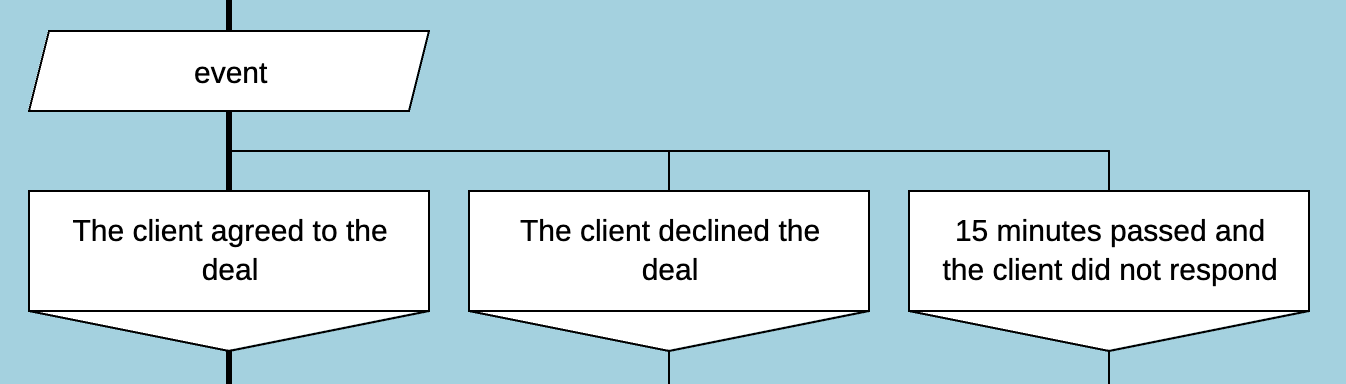
Waiting for multiple events in a business process
If only one event is expected
Use the "Simple Input" icon with the event text.
Example: only "Client response" is expected.
- Add a "Simple Input" icon with the text "The client responded".
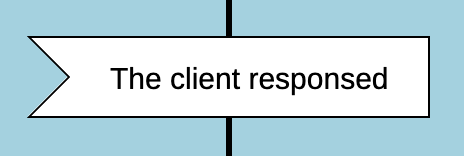
Waiting for a single event in a business process
2.2. The event is not required for process continuation but requires action
If an event occurs independently of the main process and requires action, create a separate Drakon flowchart.
Example: during "Washing dishes", a cat suddenly arrives and demands food.
How to represent this:
- Create a new Drakon flowchart for the process "Feed the cat".
- Insert the "Formal Parameters" icon with the text "Process start condition: the cat arrived and demands food".
When such an external event occurs, pause the current business process, execute the process corresponding to the event, and then continue the main process.
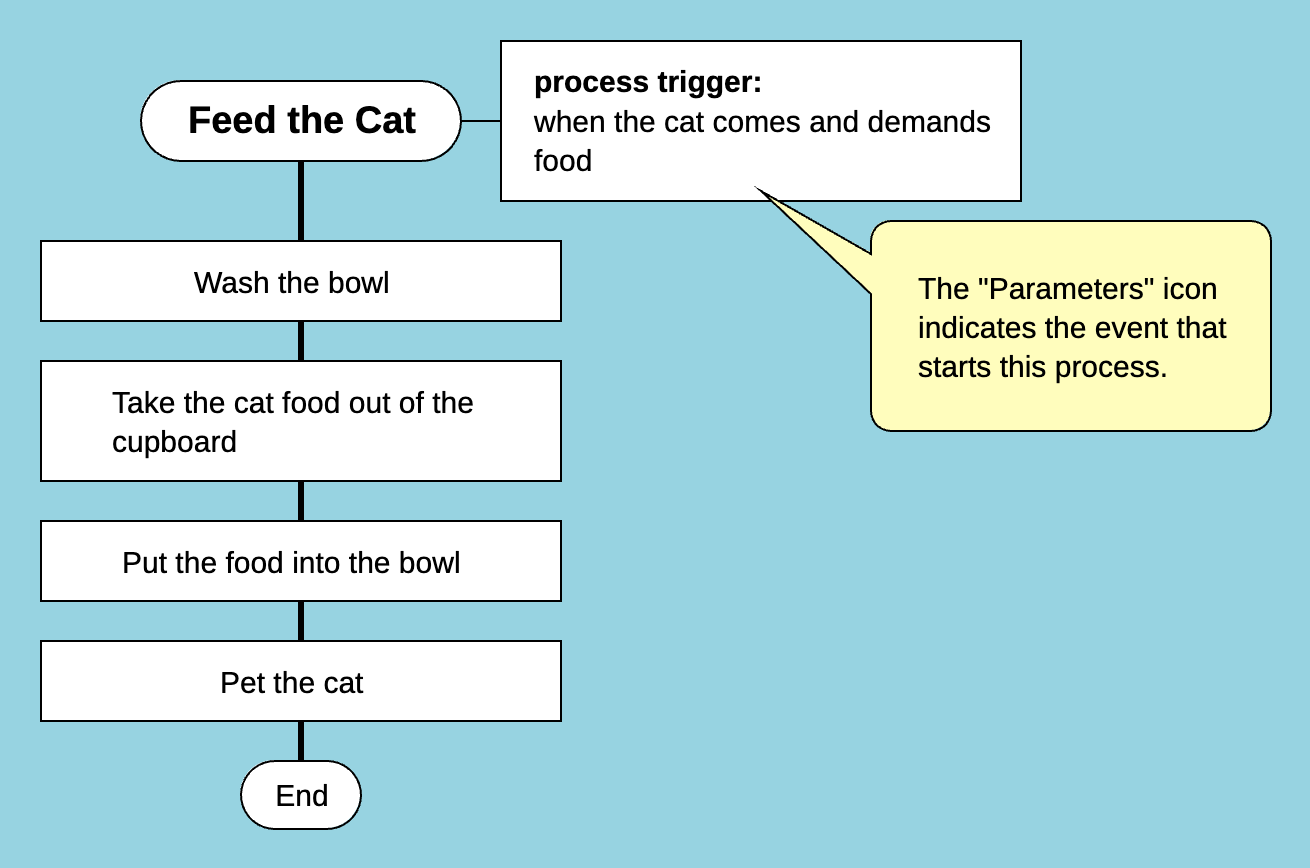
The process "Feed the cat" can start at any time
Conclusion
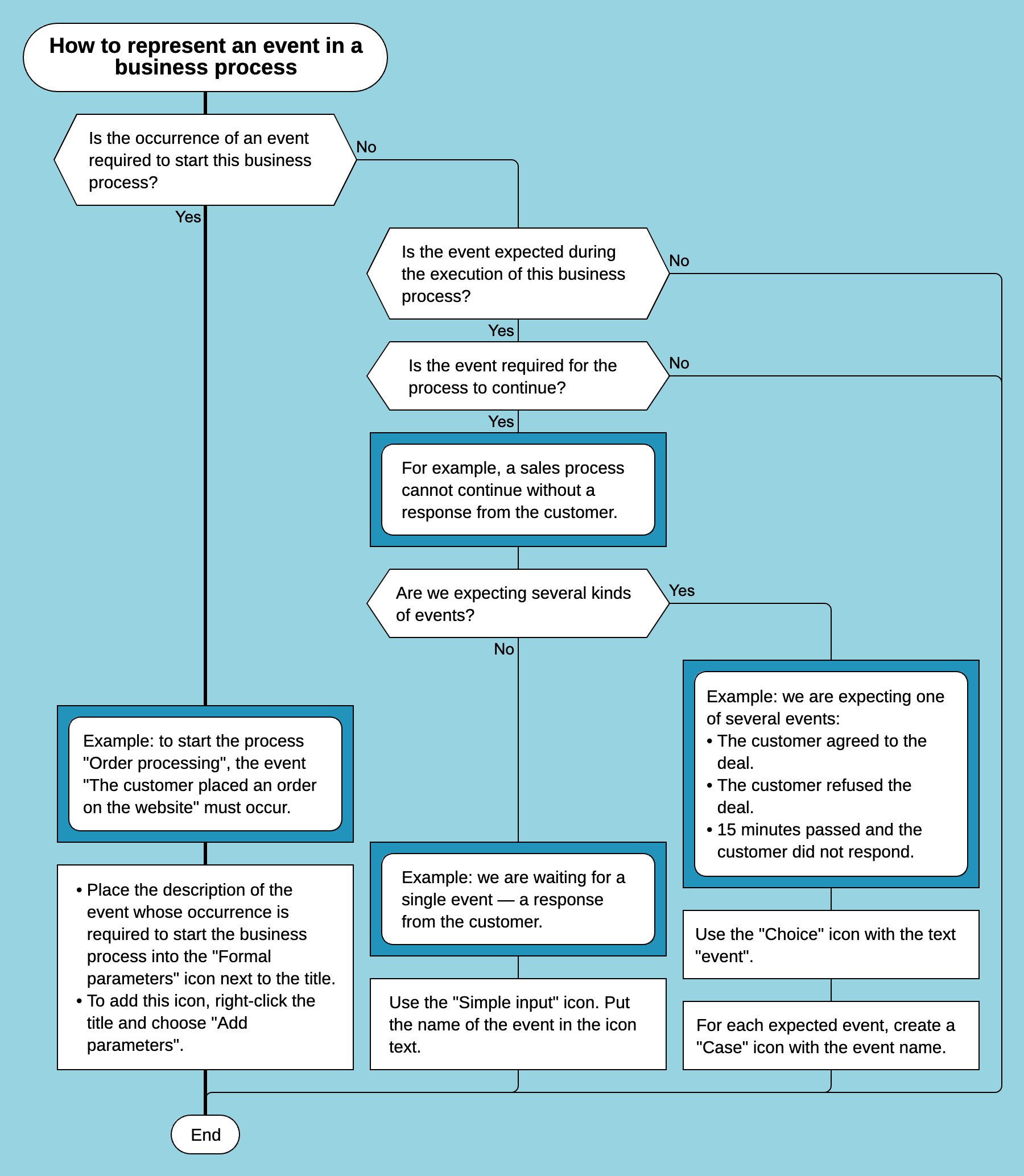
Algorithm: how to represent an event in a business process using a Drakon flowchart
- If the event is required to start the process → Add it to "Formal Parameters" next to the title.
- If the process waits for an event and cannot continue until it occurs:
- Use "Choice" with the keyword event (if there are multiple outcomes).
- Use "Simple Input" (if there is only one event).
- If the event requires separate actions but does not affect the main process → Create a separate Drakon flowchart.
Now you know how to correctly represent events in business processes using the Drakon language!