
Concurrent Work and Child Business Processes
Introduction
In most business processes, actions and child processes are executed sequentially, one after another. However, in some cases it is necessary to perform multiple actions simultaneously or to run several child processes in parallel.
Why are parallel processes needed?
Parallel execution of processes is necessary in two main cases:
- To reduce the execution time of a business process through simultaneous work.
- To implement scenarios where multiple performers must work in parallel on the same task.
Sequential execution of child processes
If you need to start a child business process and wait for it to complete, use the "Insertion" icon (a rectangle with double vertical lines). The parent process pauses and waits for the child process to finish.
Example: the business process "Breakfast".
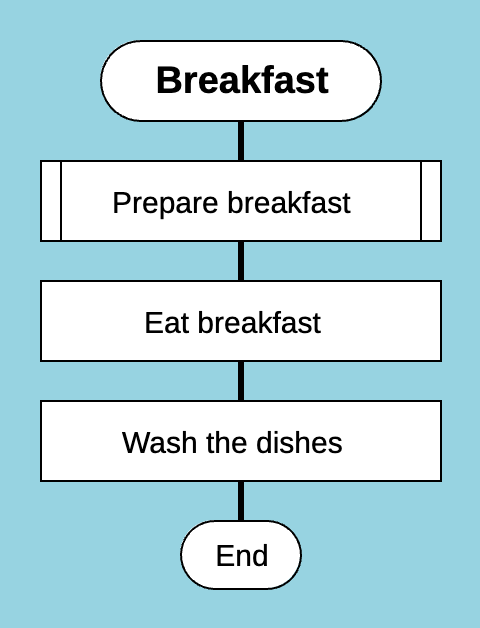
Sequential execution of child business processes
The process "Breakfast" includes three sequential steps:
- Execute the child process "Prepare breakfast" (the "Insertion" icon).
- Perform the action "Eat breakfast".
- Perform the action "Wash the dishes".
In this case, the child process "Prepare breakfast" must be completed before the parent process "Breakfast" proceeds to the next step — "Eat breakfast". There is no parallel execution here — the parent process waits for the child process to finish. The "Insertion" icon indicates that the business process "Prepare breakfast" is defined in another Drakon diagram.
Parallel execution of a child process
If you need to start a child process and continue executing the parent process at the same time, use the "Parallel process" icon. In this case, the parent process continues its actions in parallel with the child process performed by another actor.
To wait for the completion of a parallel process, use the "Simple input" icon.
Example: the process "Morning"
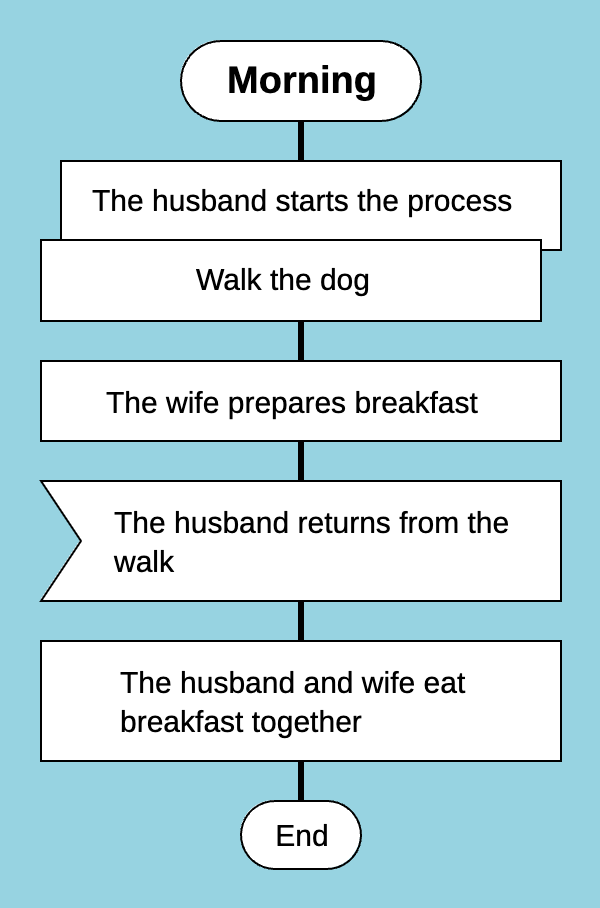
Parallel execution of child business processes, "Parallel process" icon
- The husband goes for a walk with the dog (the "Parallel process" icon).
- The wife prepares breakfast.
- The "Simple input" icon indicates that the wife waits for the husband to return from the walk to continue the "Morning" process.
Using the "Concurrent work" construct
If the exact number of parallel actions is known in advance, it is preferable to use the "Concurrent work" construct.
Let’s consider the "Morning" example using the "Concurrent work" construct.
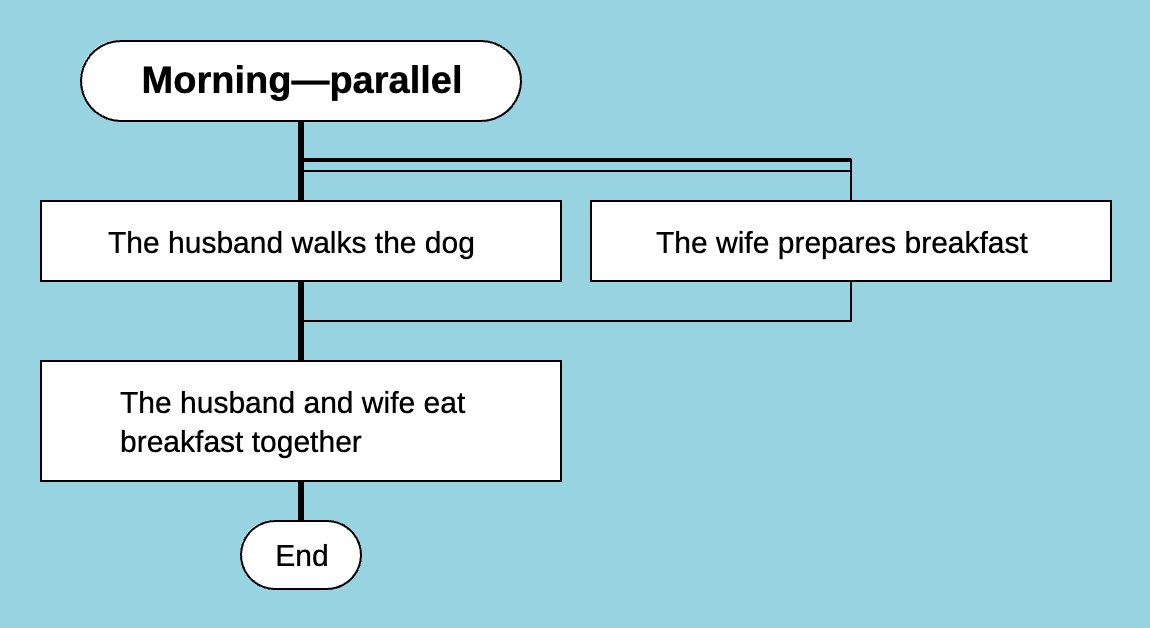
Parallel execution of actions, "Concurrent work" construct
As we can see, this way of representing parallel actions is more visual. Another advantage of this construct is that there is no need to assume which action will finish first or who should wait for whom.
In addition, "Concurrent work" constructs can be nested within each other.
Only if the number of simultaneously executed processes is not known in advance should you use the "Parallel process" and "Simple input" icons.
Besides parallel processes, the "Simple input" icon can also be used in situations where a process must wait for an event. These can be external events or actions of different participants within the same process.
Example: a classroom test
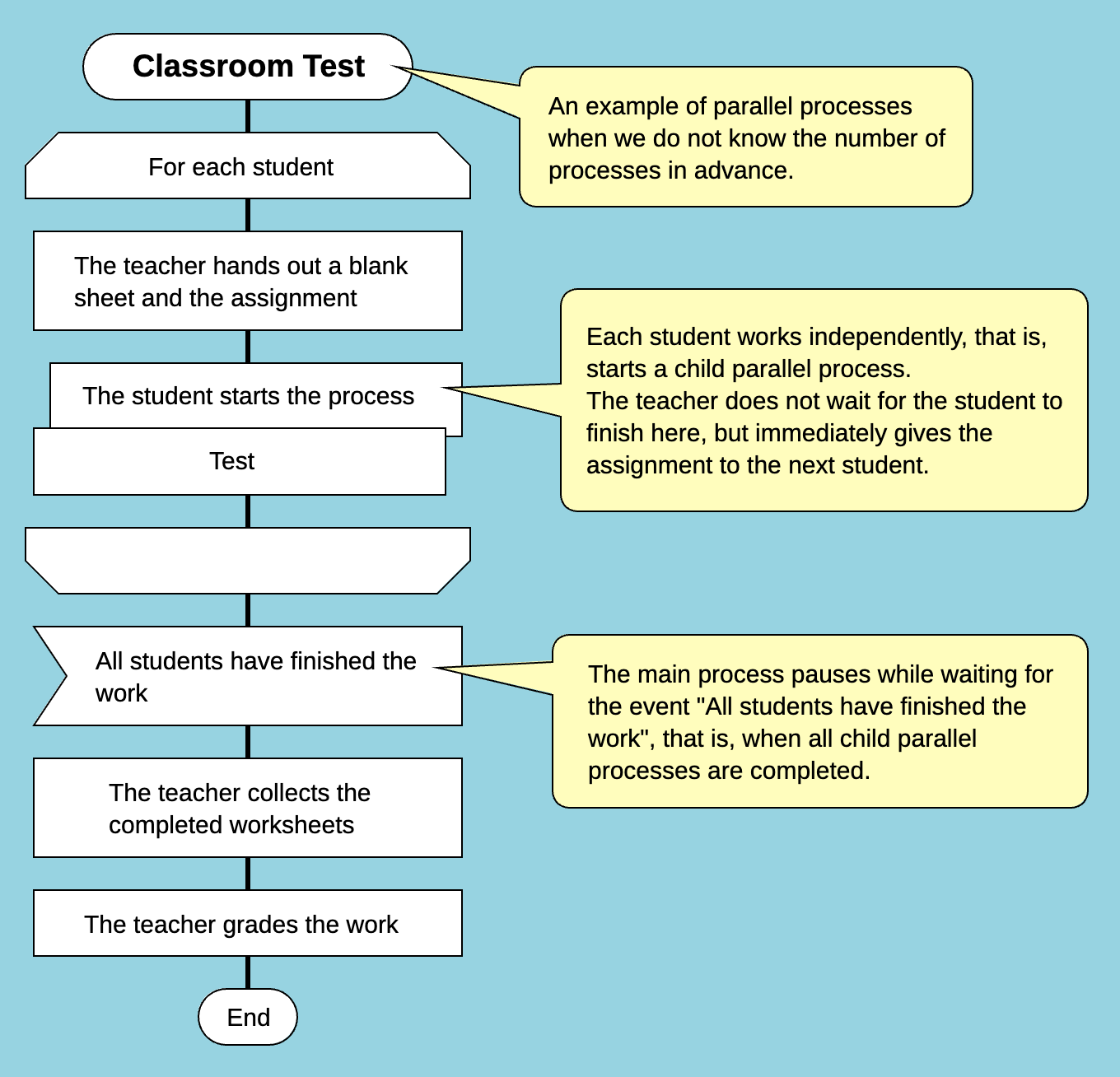
An arbitrary number of simultaneous child processes
- The teacher gives each student a blank sheet and an assignment.
- The students complete the test, following the business process "Test".
- The teacher waits until all students finish (the "Simple input" icon).
- The teacher collects the completed sheets.
- The teacher checks the work.
Here, the parent process "Classroom test" starts as many parallel child business processes "Test" as there are students. Then, at the "Simple input" icon, the parent process waits for all child processes to complete.
Conclusion
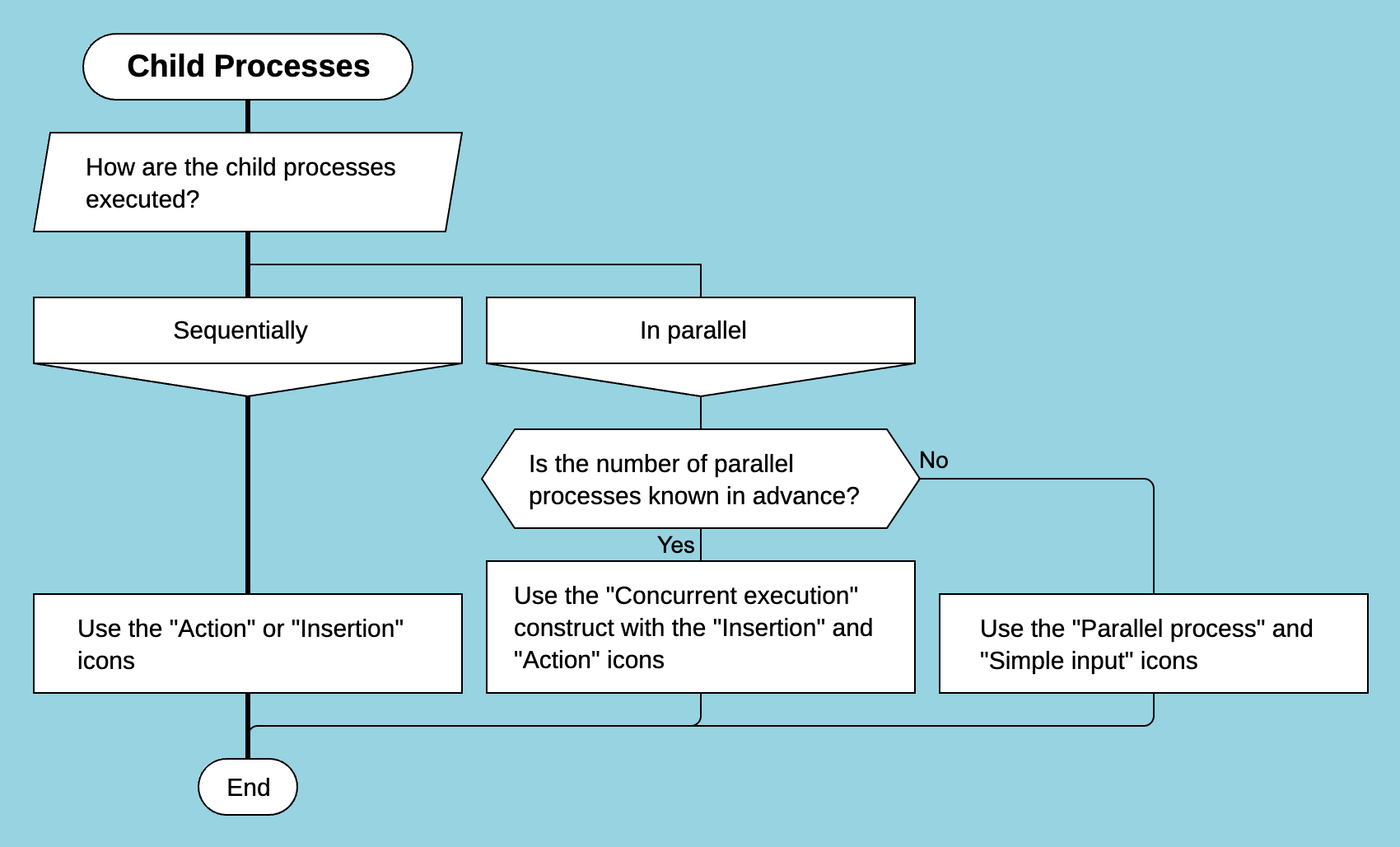
Instruction: how to organize child business processes
For sequential execution of child processes, use the "Insertion" icon.
To model parallel child processes, use the "Concurrent work" construct.
If the number of simultaneously executed child processes is unknown in advance, use the "Parallel process" and "Simple input" icons.
Use these tools to model interactions between business processes in your organization so that they are clear to all participants.